


SUBTOTAL:
$0.00




News
Best Lighting Setup Ideas for Gaming Ambiance: Tips for Game Room Lighting
John BeaverLighting setup ideas for gaming ambiance help create a gaming space that feels comfortable to use, looks balanced on camera, and supports long sessions without strain. Lighting works best when it is planned around your desk and overall setup, rather than added later as decoration or treated as an afterthought.
Many gaming rooms struggle with harsh glare, distracting colors, or messy cables caused by lighting that has no clear purpose. This often happens when lights are chosen based on appearance alone, without considering how they interact with screens, furniture, and movement. The solution is deciding what each light should do before it goes into the room. Some lighting helps reduce screen contrast, some improves visibility around the work zone, and some adds personality without pulling focus from gameplay.
By taking a layout-first approach and layering lighting thoughtfully, you can create a gaming environment that feels intentional, comfortable, and visually clean. This approach also makes future upgrades easier, since lighting, furniture, and accessories work together rather than competing for space.
Start With the Desk and Layout So Lighting Has a Purpose
Lighting works best when the overall layout is already sorted. This area is where screens, peripherals, chargers, and cables come together, which makes it the most important place to manage glare and clutter. If the setup feels awkward or crowded, lighting choices often become reactive instead of planned.
Allow Enough Space for Screens and Light Placement
Having enough surface space allows monitors to sit at a comfortable distance and gives lighting room to work properly. When screens are pushed too close due to limited space, brightness often increases to compensate, which can lead to eye fatigue. A well-sized setup helps avoid that cycle.
Adjustable sit-stand gaming desks also support posture changes without forcing you to reposition lights or screens, which keeps lighting consistent throughout the day and across different activities.

Plan Cable Flow Before Adding Lights
Cable planning matters just as much as furniture size. Deciding where power boards, chargers, and adapters will sit early on helps prevent clutter later. When cords follow a consistent path, lighting stays tidy and is easier to adjust.
A clean approach usually includes:
- Routing cables away from foot space and chair movement
- Keeping LED cables separate from monitor and peripheral cords
- Avoiding loose wires that pull when you adjust lighting
Think in Zones Instead of Individual Lights
Lighting works best when it is organized into zones rather than added one piece at a time. Most gaming rooms benefit from three clear zones: a task area for controls, a screen area for visual comfort, and a background area for ambiance. Each zone supports a different need, and separating them helps prevent lighting from doing too much at once. Once these zones are clear, choosing lighting becomes simpler, and the results feel more balanced.
Build Comfortable Screen Lighting With Bias Lighting and a Monitor Light Bar
Screen lighting affects both comfort and focus, which makes it a strong place to start when shaping ambiance. Poor screen lighting often shows up as eye strain, headaches, or the need to constantly adjust brightness settings during play.
Reduce Contrast With Bias Lighting
Bias lighting placed behind the monitor softens contrast between a bright screen and a darker room. This can make long sessions feel easier on the eyes while adding a subtle glow that frames the display. LED strips work well for this purpose when brightness is kept moderate and the light source stays hidden from direct view.
Improve Desk Visibility Without Glare
Visibility across the work surface is also important, especially for late-night gaming or mixed-use setups. Players often rely on overhead lighting to see controllers or notes, which can break immersion and create reflections.
{{ spec_zone_monitor_light }}
A monitor-mounted light bar directs light downward instead, keeping the area usable at your chosen desk height without introducing glare onto the screen. This helps maintain focus while still allowing you to interact comfortably with gear on the surface.
Adjust Screen Position to Support Lighting
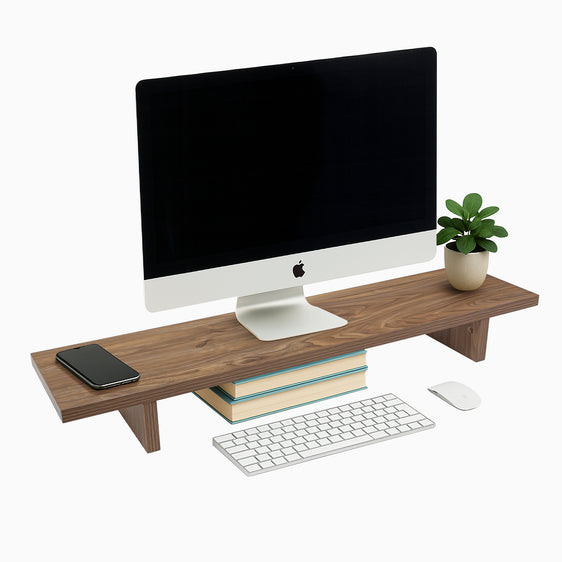
Monitor position plays a major role in how lighting behaves. If the screen is too low or angled incorrectly, even well-placed lights can reflect or create hotspots. A flexible monitor mount allows you to fine-tune height, distance, and angle so lighting remains effective as your setup changes.
Use LED Strips and Layered Lighting to Shape Ambiance
Once screen and task lighting feel comfortable, ambiance lighting adds personality without affecting performance. This is where gaming setups often develop their visual identity.
Place LED Strips Indirectly for a Softer Effect
LED strip lighting works best when placed indirectly, such as behind monitors, under the rear edge of the work surface, or beneath shelving. These placements create a soft glow rather than harsh points of light, which keeps the room feeling balanced. When LED strips are visible directly, they tend to distract rather than support the atmosphere.
Build Depth With Layered Lighting
Layered lighting creates depth and avoids visual overload. Instead of relying on one bright source, combine ambient room light with task lighting and a softer background accent. This makes the room feel intentional and gives you more control over mood.
Keeping colors consistent usually looks cleaner than cycling through multiple effects, particularly if you stream or appear on camera regularly.
Use Wall Lighting With Restraint
Wall lighting can add texture and interest, especially behind the gaming area. Restraint is important here. One focused section tends to look more intentional than spreading lights across every wall, and leaving negative space helps the room feel less cluttered.
Keep Your Lighting Setup Organised With Smart Furniture and Cable Management
A well-lit gaming room quickly loses its appeal if cables and accessories are scattered. Organization supports both appearance and usability, and it directly affects how lighting is perceived in the space.
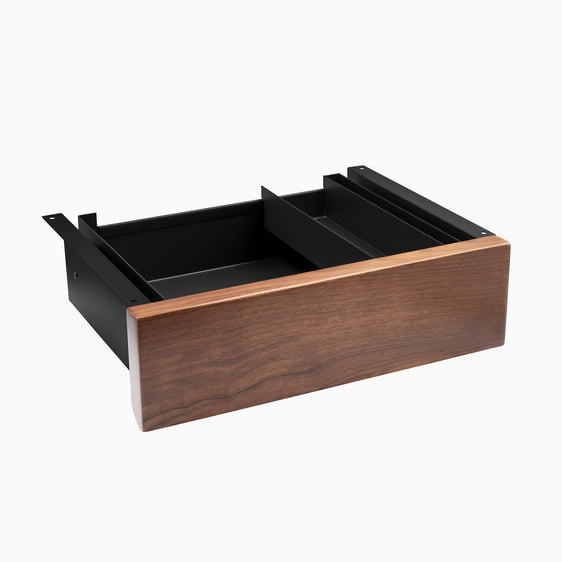
{{ spec_ultra_slim_drawer }}
Choose Furniture That Supports Stability and Airflow
Stable furniture reduces vibration during fast movement, which is noticeable during mouse-heavy gameplay. Drawers or shelving help keep spare cables, controllers, and tools off the main surface, reducing visual noise. Electronics should always have enough clearance for airflow, especially during longer sessions where heat can build up.
Keep Cable Management Accessible
Cable management works best when it stays accessible rather than hidden completely. Mounting power boards underneath the setup and routing cables along the rear edge keeps cords out of sight while still easy to reach. This approach makes cleaning simpler and reduces frustration when adding or replacing gear.
Add Accessories That Reduce Clutter
Accessories should support daily use rather than add clutter. Monitor mounts with built-in cable routing, organizers, and compact lighting controls help keep the setup functional and visually calm. When everything has a place, lighting remains the feature rather than the mess around it.
Build Ambiance From the Ground Up With Desky
If you are refining your gaming environment, starting with the right foundation makes every other choice easier. Desky offers gaming desks and adjustable sit-stand desks designed to support clean layouts, along with monitor arms, cable management accessories, and a monitor light bar that lights your work area without screen reflection. Together, these elements help create a gaming setup that feels organized, comfortable, and ready for long sessions.

You may also like

Which Lighting with Lamps Is Best for Your Space?
The way you light your workspace shapes how it feels to use every day. It affects comfort, focus, scre...
Jun 03, 2026

How to Position Your Desk Lamp for Reduced Glare on Your D..
A good desk lamp can make long work sessions easier on your eyes, but placement matters just as much a...
May 28, 2026

Your Complete Guide to Desk Lamp Features and Choosing the..
A smart desk lamp can change the way your workspace feels and functions. Good lighting helps you stay ...
May 27, 2026

How to Reduce Eye Strain with Desk Lamp
If your eyes feel sore, dry or tired after a few hours at your desk, your lighting setup may be part o...
May 21, 2026